3D Realistic Bottle Mockup for Creative Projects
In today’s fast-paced world of branding and product design, standing out is more important than ever. A powerful tool that can elevate your work from ordinary to extraordinary is the Bottle Mockup. This 3D realistic rendered file offers a professional way to showcase your label designs, artwork, or packaging concepts without the need for expensive photography sessions. Whether you're launching a new product or refining your brand identity, the Bottle Mockup provides clarity, realism, and flexibility.
What Makes the Bottle Mockup Unique?
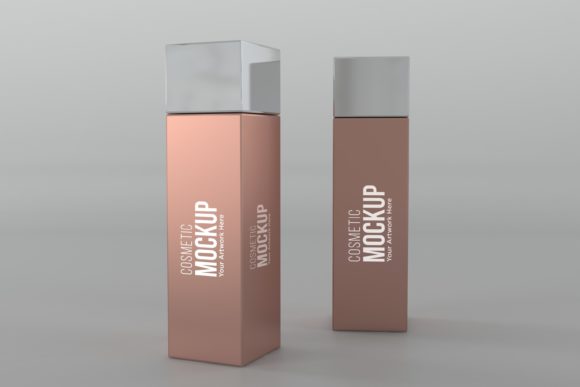
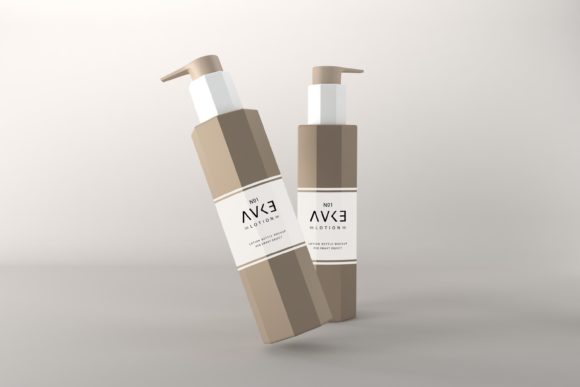
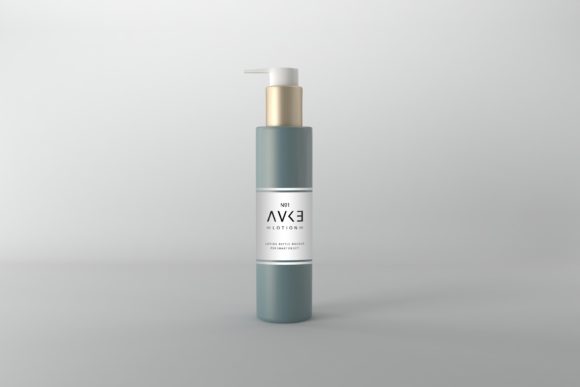
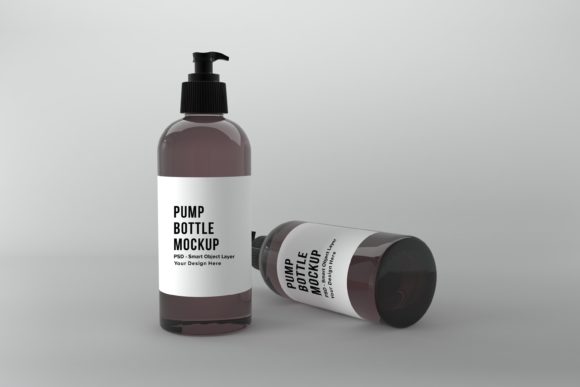
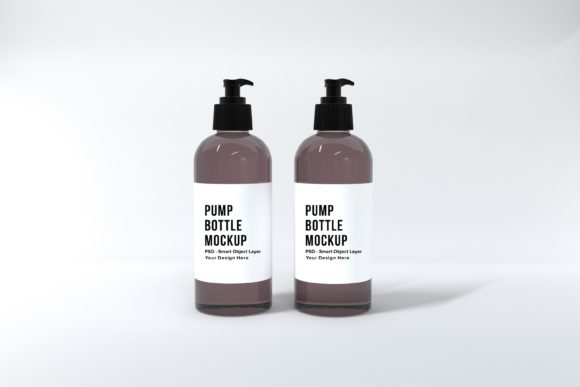
The Bottle Label Mockup is not just another template—it's a high-quality, layered Photoshop file designed to bring your creative ideas to life with precision. Unlike generic 3D renders that may lack customization, this mockup allows you to easily add your own label design, logo, or artwork using Smart Object layers. The result? A clean, photorealistic presentation that highlights your design work in an elegant and modern setting.
With dimensions of 5000 x 3333px and a minimalistic background color, the mockup ensures your design takes center stage. It’s perfect for digital presentations, marketing materials, social media posts, or even print campaigns. High resolution means every detail is visible, helping you make confident design decisions before final production.
Why Designers and Marketers Choose the Bottle Mockup
Professionals across various industries—from graphic design to e-commerce—rely on tools like the Bottle Mockup to visualize their products accurately. Here’s why it’s becoming a go-to resource:
- Time-saving: You don’t have to build a realistic bottle scene from scratch. Simply place your artwork and get instant results.
- Cost-effective: By reusing the mockup for multiple projects, you cut down on recurring costs related to photography or hiring 3D artists.
- Adaptable: Its structure makes it easy to modify for different contexts, audiences, and platforms.
- High-quality output: The JPEG version included is ideal for sharing polished visuals directly online.
Creative Possibilities with the Bottle Mockup
The beauty of the Bottle Mockup lies in its versatility. Here are a few ways it can be used to inspire creativity and practical application:
1. Branding and Packaging Development
When developing a new beverage or skincare line, the Bottle Mockup gives you a realistic canvas to test how your label interacts with the bottle shape. You can experiment with fonts, colors, and layouts while seeing how they look in a real-world context. For instance, if you're designing a natural drink brand, the mockup helps you visualize minimalist labels against a clean background, reinforcing your eco-friendly message.
2. Social Media and E-commerce Marketing
For entrepreneurs and marketers, having eye-catching visuals is key to engaging customers. Use the Bottle Mockup to create compelling images for Instagram posts, Facebook ads, or Amazon listings. The high-resolution image ensures it looks sharp on both mobile and desktop views, which is crucial for maintaining professionalism and visual appeal.
3. Print and Digital Campaigns
If you’re preparing printed brochures, flyers, or posters, the mockup allows you to see how your design will translate into physical formats. Similarly, for blog content or website banners, the mockup ensures your product imagery remains consistent across all platforms. The minimalistic background also helps keep your marketing materials focused and uncluttered.
4. Educational and Presentation Purposes
Design educators often use mockups to demonstrate layout principles, typography choices, and branding strategies. With the Bottle Mockup, students can practice placing labels on bottles and learn about spatial relationships, contrast, and hierarchy. Presentations become more dynamic when showcasing real-life applications of design elements through such mockups.
How to Use the Bottle Mockup Effectively
Working with the Bottle Mockup is straightforward, but a few tips can help you maximize its potential:
- Use Smart Objects: Open the PSD file in Photoshop and double-click the Smart Object layer to insert your artwork. This preserves quality and makes edits easy.
- Experiment with Lighting and Shadows: Since it’s a 3D render, subtle adjustments to lighting and shadow effects can enhance realism and depth.
- Match Background Tones: The minimalistic background color works well with most designs, but consider tweaking it to better align with your brand palette or campaign theme.
- Export Wisely: After customizing, export your final image in JPEG format at 5000 x 3333px for optimal clarity and compatibility across platforms.
Real-World Example: Beverage Brand Launch
Imagine you're launching a new line of organic teas. Using the Bottle Mockup, you can quickly test different label designs that reflect your brand values—like earthy tones and hand-drawn illustrations. Place each variation on the same bottle model and compare them side by side. This not only streamlines your decision-making process but also ensures your final choice is visually impactful and aligned with your audience’s expectations.
Adapting the Mockup for Different Goals
Depending on your project type, you can adapt the Bottle Mockup in several ways:
For Small Business Owners
Small business owners can leverage the mockup to create professional-looking product photos for their websites or marketplaces. Without needing a camera crew or studio setup, they can generate high-quality visuals that convey professionalism and attention to detail.
For Freelance Designers
Freelancers can include the mockup in their portfolio to demonstrate their ability to create complete branding packages. It adds a level of polish to their work and shows clients how their designs would appear in real life.
For Bloggers and Content Creators
Bloggers who review products or share DIY packaging ideas can use the Bottle Mockup to present their thoughts in a visually appealing manner. It helps break up text-heavy posts and keeps readers engaged with relevant imagery.
For Educators and Students
Teachers can assign students to design their own labels and then apply them to the mockup. This hands-on exercise teaches practical skills in branding, illustration, and digital editing while giving learners immediate feedback on how their work looks in context.
Ensuring Clarity and Impact
To get the most out of the Bottle Mockup, focus on making your artwork clear and effective. Avoid overcrowding the label with too many elements. Keep the text legible, and ensure your brand logo stands out. The goal is to highlight your design, not hide it beneath unnecessary details.
Consistency is also key. If you plan to use the mockup across multiple platforms, maintain the same visual style and color scheme for all variations. This builds brand recognition and makes your marketing efforts more cohesive.
Getting Started with Your Own Bottle Mockup Project
Here’s a quick guide to kick off your next project:
- Download the Bottle Mockup PSD file and open it in Photoshop.
- Locate the Smart Object layer where you can insert your label design or artwork.
- Customize the background tone if needed to suit your brand or platform.
- Export the final image as JPEG at full resolution for use online or in print.
This simple yet powerful workflow enables anyone to create professional-grade visuals in minutes. No advanced 3D modeling skills are required—just a basic understanding of Photoshop and a willingness to experiment.
Conclusion
The Bottle Mockup is more than just a visual aid—it’s a bridge between your creative vision and the final product presentation. Whether you're refining your brand identity, launching a new product, or teaching others, this tool empowers you to deliver stunning, realistic results efficiently and affordably. Embrace its simplicity and let it enhance your creative output with ease and elegance.
If you have any questions or need further assistance, feel free to reach out. We’re always here to help you unlock the full potential of the Bottle Mockup and support your creative journey. Don’t hesitate to contact us for guidance or clarification—we value your success and are committed to providing top-notch resources.