3D Lotion Bottle Mockup for Stunning Branding Projects
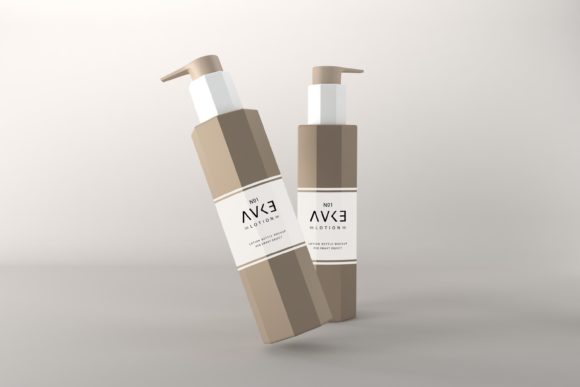
Creating a professional product presentation doesn’t always require advanced design skills or expensive tools. With the Lotion Bottle Mockup, you can easily showcase your label designs, artwork, and branding in a realistic and visually appealing way. Whether you're launching a new skincare line, designing custom packaging, or promoting your latest creation online, this mockup is an essential asset for any project that involves bottle visuals.
What Makes This Mockup Stand Out?
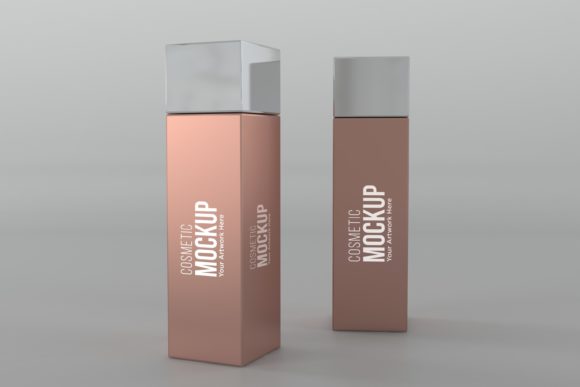
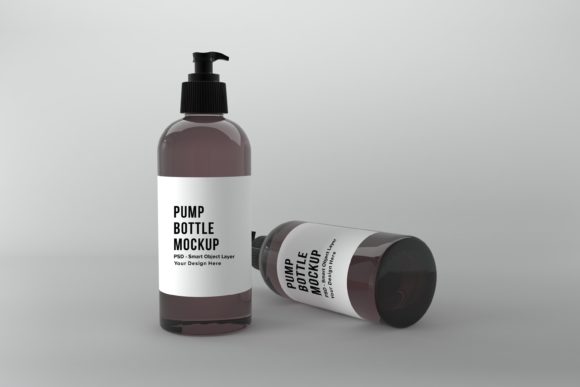
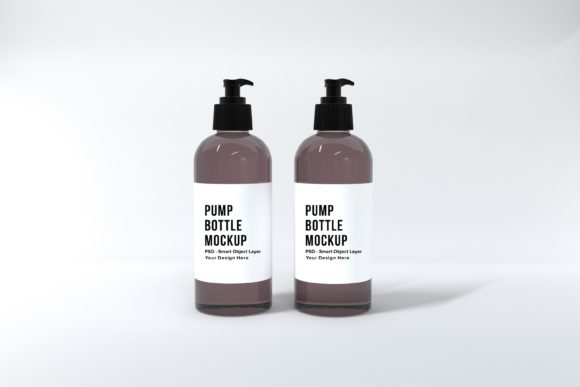
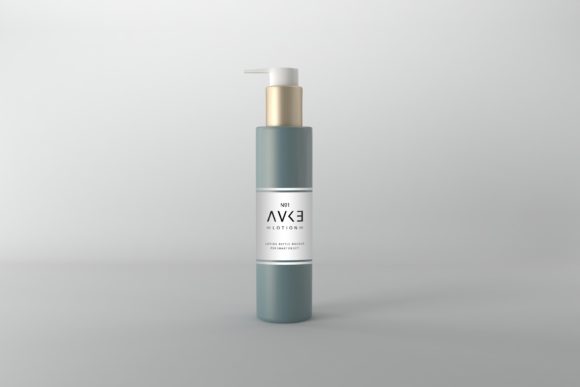
The Lotion Bottle Mockup is more than just a standard template—it’s a high-quality, layered Photoshop file (PSD) that allows for full customization. Unlike many other bottle mockups that are basic 3D renders, this one provides a refined, photorealistic look that makes your design stand out. The attention to detail in lighting, texture, and perspective ensures your artwork looks as close to real-life as possible without the need for photography equipment.
This mockup includes a unique scene setup with a minimalistic background color, which helps keep the focus on your bottle design. It's perfect for highlighting intricate label details, elegant typography, or vibrant graphics. The dimensions of the mockup are 5000 x 3333px, offering a high-resolution canvas suitable for both digital and print presentations.
Why You Should Use the Lotion Bottle Mockup
- Easy to use: Designed with user-friendliness in mind, the mockup works seamlessly with graphic editors like Adobe Photoshop. Even beginners can place their artwork using Smart Object layers, making the editing process quick and hassle-free.
- Time-saving: Instead of spending hours creating a realistic bottle layout from scratch, this mockup gives you a ready-to-use template that saves valuable time during the design phase.
- Cost-effective: Investing in a quality mockup means you can reuse it across multiple projects—whether for social media posts, website banners, or printed marketing materials. Over time, it becomes a smart financial decision compared to hiring a photographer or designer for similar results.
- Professional appeal: High-resolution images and 3D realism add a level of polish that’s hard to achieve otherwise. This makes the mockup ideal for entrepreneurs and creatives who want to present their products in the best light possible.
Beginner-Friendly Applications
If you’re new to graphic design or product visualization, the Lotion Bottle Mockup is a great starting point. Here are some simple yet effective ways to use it:
- Create label prototypes: Overlay your label design onto the bottle to see how it looks in context. Adjust colors, fonts, and spacing to ensure they appear well-balanced and attractive.
- Design for e-commerce: Use the mockup to display your product on your online store. Customers get a clear idea of what the actual item will look like before purchasing.
- Enhance blog visuals: If you run a beauty or wellness blog, adding a mockup of your lotion bottle can make tutorials, reviews, or DIY guides more engaging and professional.
- Present ideas to clients: When pitching a new product concept to stakeholders or clients, a realistic mockup can help them visualize the final outcome quickly and clearly.
Perfect for Branding and Marketing Campaigns
Branding is all about consistency and visual identity. The Lotion Bottle Label Mockup lets you integrate your brand elements—like logos, taglines, and color schemes—onto a realistic bottle backdrop. This is especially useful when preparing promotional content for campaigns on platforms such as Instagram, Pinterest, or Facebook. A well-designed mockup can significantly enhance the perceived value of your product.
For example, if you're a small business owner launching a natural skincare line, you can use the mockup to create compelling visuals for your packaging, which can then be used in product photos, ads, and even at trade shows. The realistic rendering adds authenticity and professionalism to your brand image.
How to Get Started with the Mockup
The mockup comes in two formats: a fully editable PSD file and a pre-rendered JPEG for quick sharing. To begin customizing, simply open the PSD in Photoshop and replace the Smart Object layer with your artwork. No need for complex modeling or texturing—just drag and drop your design and let the mockup do the rest.
Here’s a step-by-step overview:
- Open the PSD file in Photoshop.
- Locate the Smart Object layer assigned to the bottle.
- Double-click the Smart Object to edit its contents.
- Insert your label or artwork and adjust as needed.
- Save the file and export your finished mockup in JPEG format for use online or in print.
Use Cases Across Different Industries
While the mockup is ideal for skincare brands, its versatility extends to various fields. Educators can use it to demonstrate packaging design principles in classroom settings. Freelancers and creative agencies can offer it as part of their client services for product visualization. Bloggers can incorporate it into lifestyle or beauty posts to give readers a better sense of the product being discussed.
Entrepreneurs benefit from using the mockup during the early stages of product development. It allows them to test different label designs before final production, helping avoid costly mistakes. Marketers can also use it to build cohesive campaign assets that maintain brand integrity across multiple channels.
Important Considerations Before Using the Mockup
Before diving into your next project, there are a few key points to keep in mind to maximize the effectiveness of the Lotion Bottle Mockup:
- Resolution matters: Since the mockup is high-resolution, make sure your artwork matches the same quality to avoid pixelation or blurriness in the final output.
- File compatibility: While the mockup is optimized for Photoshop, ensure you have the correct version installed to access all features, including Smart Objects.
- Minimalist aesthetics: The clean, minimalistic background is designed to complement your artwork. If you're working with bold or colorful designs, consider how the background will affect the overall look.
- Reusability: Think ahead about how you’ll reuse the mockup. Storing variations of your labeled bottles can streamline future design tasks and maintain brand consistency over time.
Support and Customization Options
If you encounter any difficulties while working with the mockup, don’t hesitate to reach out. Our team is available to assist with technical support, answer questions, or provide guidance on optimizing your design for the best results. We aim to make your experience as smooth and productive as possible.
Additionally, the mockup is customizable beyond just the label. You can tweak lighting effects, adjust shadows, or modify the environment to suit your specific needs. These small adjustments can make a big difference in how your product is perceived by your audience.
Final Thoughts on the Lotion Bottle Mockup
In today’s competitive market, standing out with professional visuals is more important than ever. The Lotion Bottle Mockup offers a practical solution for anyone looking to elevate their product presentation. Its realistic 3D render, ease of use, and high-resolution output make it a valuable tool for creators, marketers, and entrepreneurs alike.
Whether you're designing for personal use, showcasing your work online, or planning a commercial launch, this mockup simplifies the process and enhances the final result. Save time, reduce costs, and bring your vision to life with a single, reusable template that delivers exceptional quality every time.
Ready to take your design projects to the next level? Explore the Lotion Bottle Mockup and discover how it can transform the way you present your products. For any assistance or further information, feel free to contact us—we’re here to help!